
|
Most print businesses already have a MIS but a MIS is built to manage jobs, not to support the people doing them. Printhead fills that gap.
Developed from the ground up by someone in the print industry, Printhead is a simple but powerful toolkit offering 45+ modules spanning functions, formulas, calculators, and data management tools. Every module is purpose-built and addresses a real problem, covering every stage of the production process — from substrate calculations and imposition planning in prepress, to driver route management and shipping labels in dispatch, to dieline generation and job data processing on the floor. Designed for print businesses of all sizes. From wide format, sheetfed, digital, trade print, sign and display - Printhead works the way your business does. No bloat, no setup, no training required. Accessible on any device, from any role. If your team is losing time on tasks that should take seconds, Printhead was made for you. |
|
Does Printhead replace my existing MIS? No - and it's not designed to. Printhead runs alongside your MIS and handles the calculations, data formatting and workflow tasks that a job management system wasn't built for. Think of it as the toolbox that sits next to your MIS on every desk. Do I need to install anything? Nothing at all. Printhead runs entirely in the browser - desktop, tablet or phone. No downloads, no plugins, no IT department involvement. If you can open a webpage, you can use Printhead. Are multiple accounts necessary? No. Most modules process data as temporary sessions, visible only to the active user, so multiple team members can work simultaneously without conflict. Shared data, such as core account settings, driver routing, saved address labels and roll data is stored permanently and accessible to all users with account access, which is intentional by design. What type of print businesses is it suited to? Printhead has been built for commercial print environments of all kinds - wide format, sheetfed, digital, trade print, sign and display. If your team produces and despatches printed work, the modules will be relevant. Is there a lock-in contract? No. Printhead is a month-to-month subscription with no long-term commitment. Your subscription includes full access to 45+ modules, and you can cancel at any time. We'll simply close out your account at the end of the billing period. To get started with a free trial, reach out via the contact form. Are new modules added over time? Yes. Printhead is actively developed, with new modules added on an ongoing basis. If your team needs a specific tool that isn't currently available, we'd love to hear from you, we're always open to feature suggestions. |
Try Printhead Free.
|
|
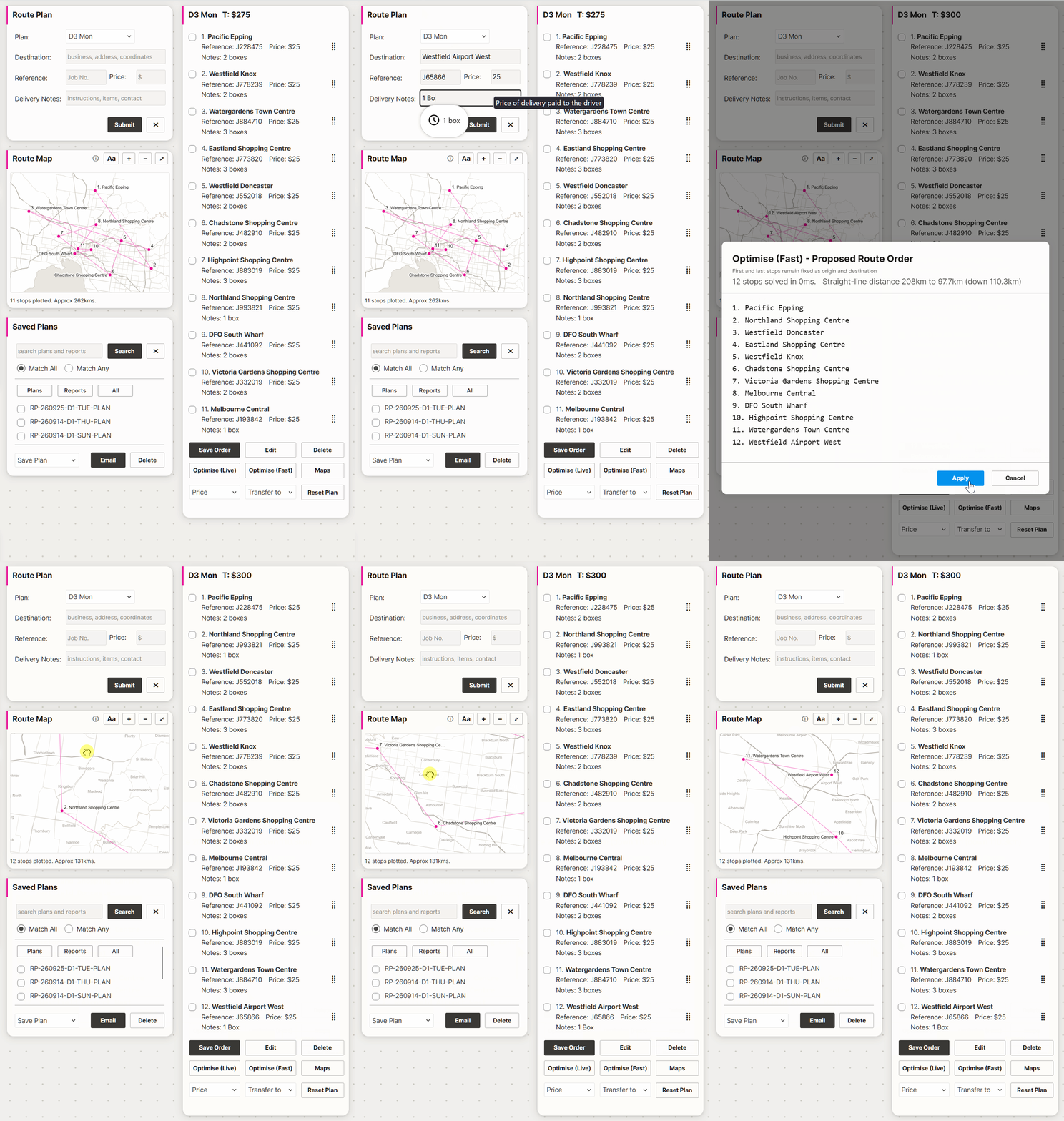
Route Map See the current route plan on a map as deliveries are added. - Numbered stops matching the Route List - Route line in delivery order - Zoom and pan
Eyelet Template
Route Plan
RETF Mailer
Address Splitter
PDF Press
|